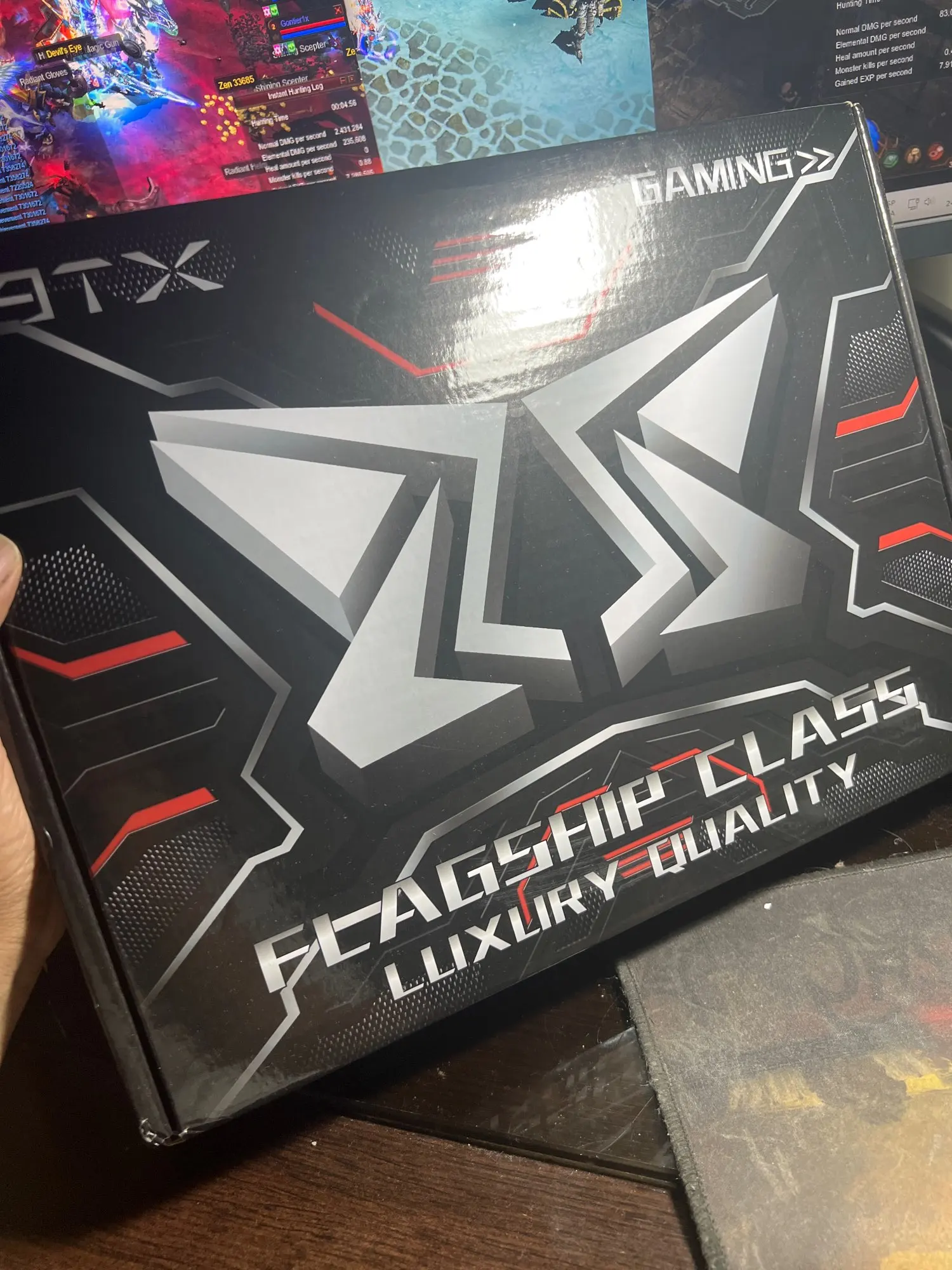
MACHINIST X99 MR9A PRO MAX Motherboard for Intel LGA 2011-3 XEON E5 V3/V4 DDR4

MACHINIST X99 MR9A PRO MAX Motherboard for Intel LGA 2011-3 XEON E5 V3/V4 DDR4

Sale price  $110.99 USD Regular price  $159.99 USD
Skip to product information
MACHINIST X99 MR9A PRO MAX Motherboard for Intel LGA 2011-3 XEON E5 V3/V4 DDR4

MACHINIST X99 MR9A PRO MAX Motherboard for Intel LGA 2011-3 XEON E5 V3/V4 DDR4

Sale price  $110.99 USD Regular price  $159.99 USD

15 reviews

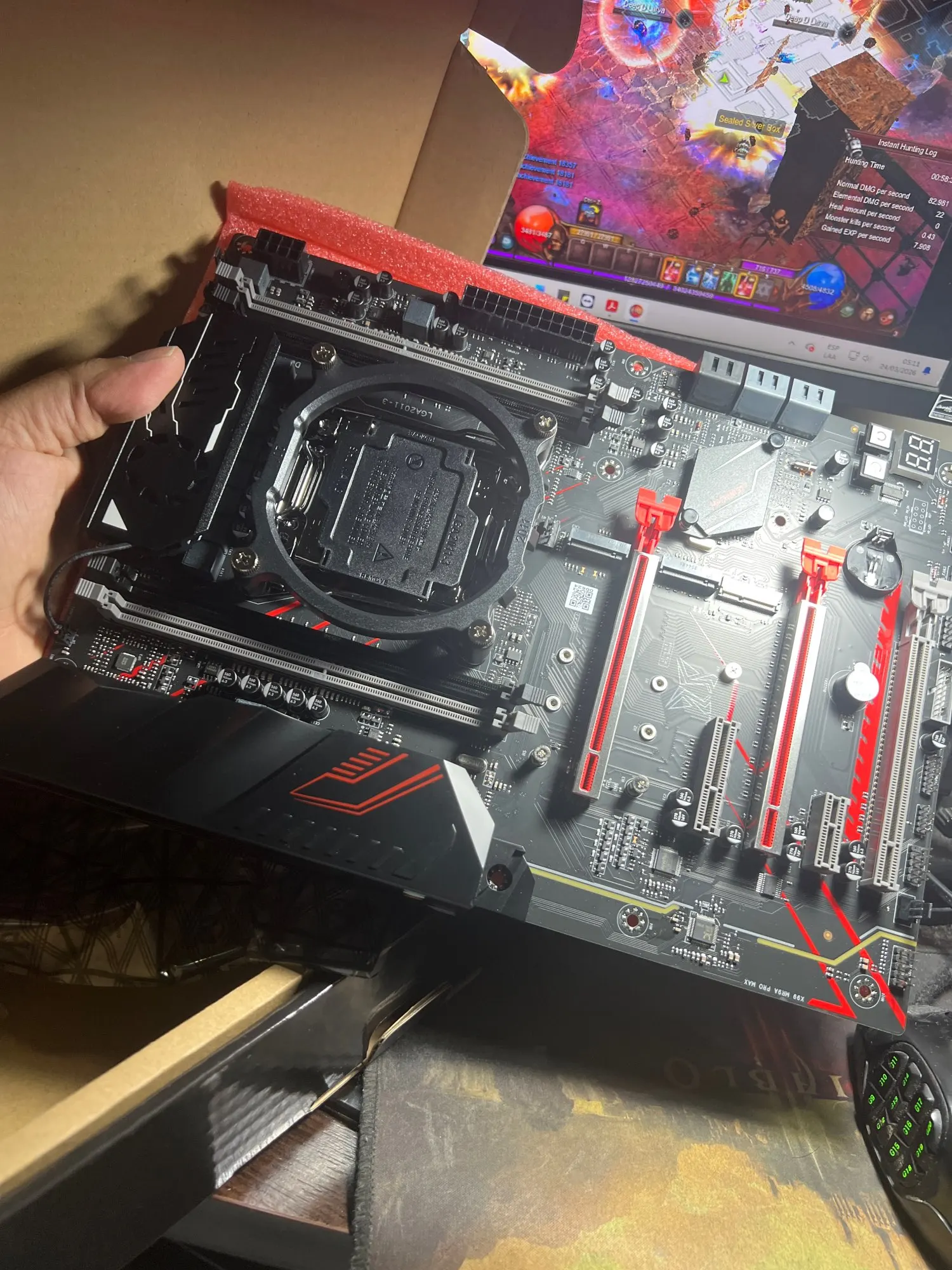
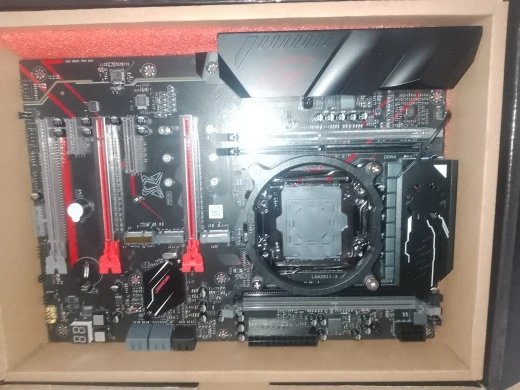
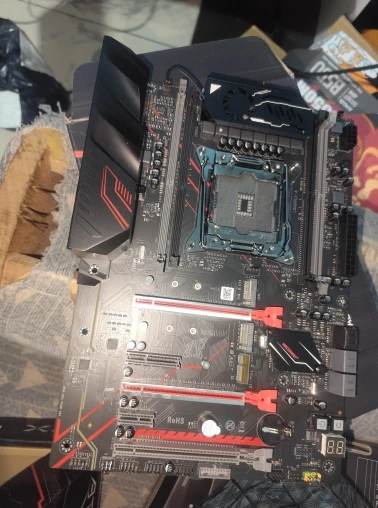
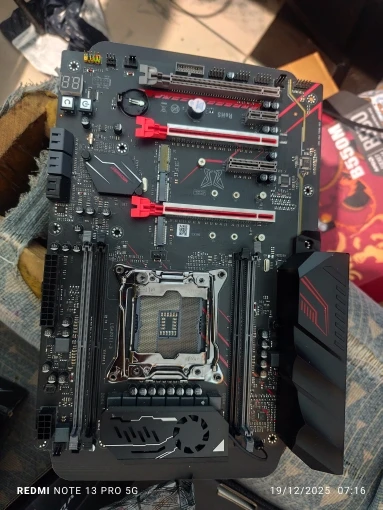
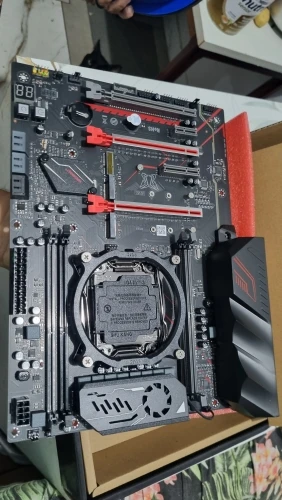
Intel LGA 2011-3 socket: The Intel xeon motherboard supports Intel Core i7 5th/6th generation processors and XEON E5 V3/V4 series processors. (Eg. Core i7-5960X, Core i7-6850K, Xeon E5-2650 V3, Xeon E5-2690 v4)
4 channels DDR4: The X99 gaming motherboard has 4 DDR4 memory slots, designed by 4 channels, compatible with ECC and non-ECC memory. The supported effective frequencies are 2133/2400MHz, and the maximum capacity is 128GB
Dual M.2 slots: This ATX motherboards are equipped with NVME M.2 and SATA M.2 slots. The NVME M.2 slot adopts PEIe channel, and the maximum transmission speed is 32Gb/s
5 PCIe graphics card slots: Equipped with 3 PCIe X16 slots (two of which are protected by a steel case), 1 PCIe X4 slot and 1 PCIe X1 slot. Using the PCIe 3.0 protocol, the effective transfer rate can reach up to 15.754 GB/s
More functions: Assembled with aluminum alloy VRM cooling fan, one-key "boot" and "restart" buttons, buzzer and diagnostic card, etc. Including 3*USB 3.0(1*front), 7*USB 2.0(1*front), 2*PS/2, 4*SATA 3.0, 2*SATA 2.0. Size: 215mm x 303mm
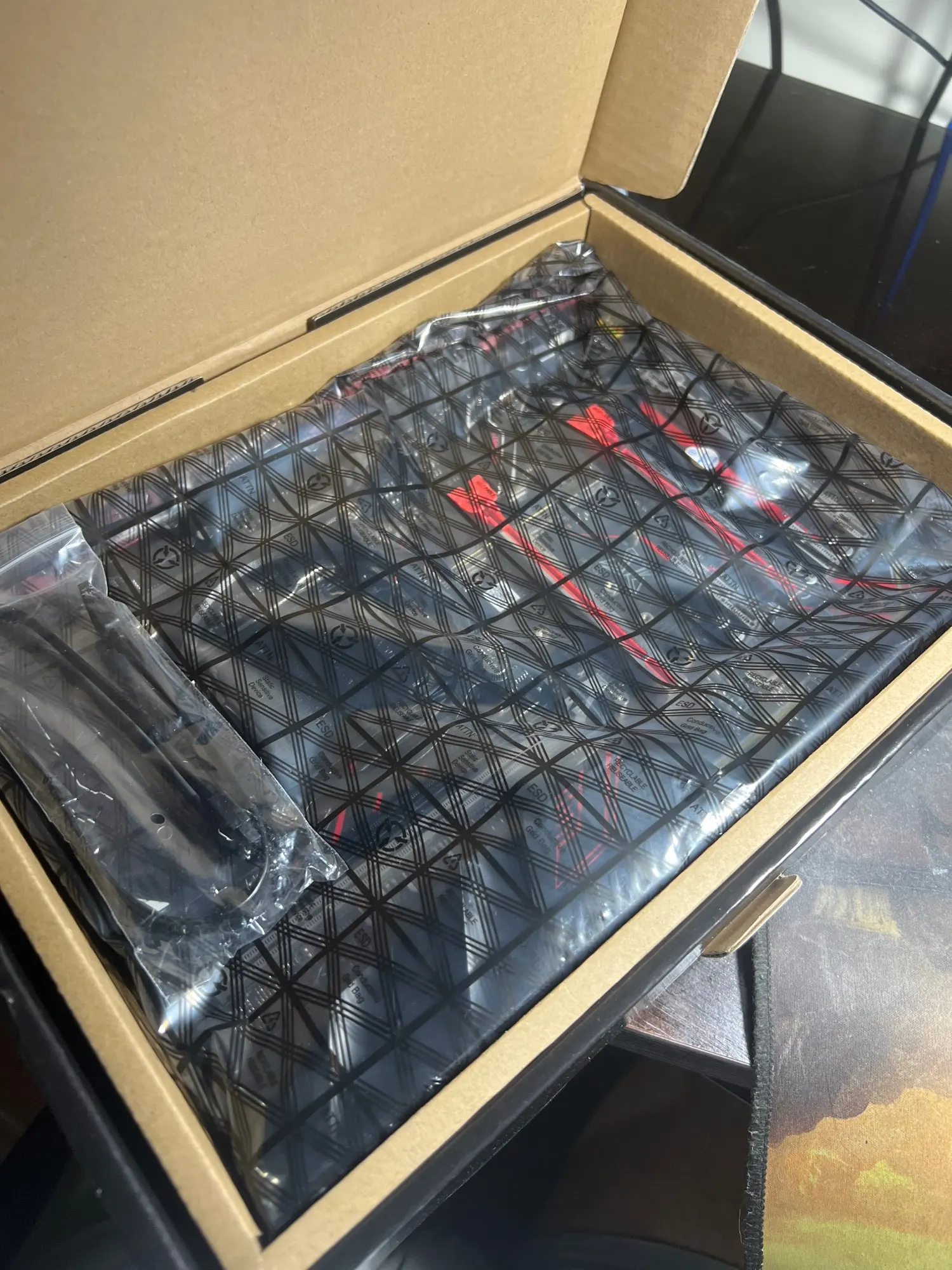
Tips: The package includes: 1*CPU fan bracket, 1*SATA cable, 1*I/O baffle, 1*motherboard. No CMOS(CR2032) battery and user manual

FAQs

Where can I download the driver

You can download the driver through one of the following links:
https://www.drivethelife.com/
https://www.drivermax.com/

The computer won't power on and the fans don't spin

1. Some motherboards won't boot after removing the CMOS battery. Reinstall the CMOS battery and discharge it (clear CMOS) to resolve.
2. Ask the customer for their CPU model to verify compatibility.
3. Verify power connections: Ensure the motherboard power connector and CPU power connector are securely seated. Check if the case power switch is turned on.
4. Confirm the case power-on cable is properly connected.
5. Test with a known-good power supply to isolate potential issues.
6. Remove all peripherals (graphics card, hard drives, USB devices, etc.) before powering on. (For troubleshooting the case switch, directly short the switch pins with a metal object to bypass the switch mechanism.)
7. Replace the CPU.

No display (fans spin but keyboard lights remain unresponsive when pressing Caps Lock)

1. Reset BIOS/CMOS
2. Verify motherboard power supply and CPU power connector are properly seated
3. Check memory compatibility and correct installation position
4. Verify CPU compatibility
5. Replace CPU to determine if it is faulty
6. Replace memory to determine if it is faulty

No display (fans are spinning and the Caps Lock indicator lights up when pressing Caps Lock)

1. Verify monitor is powered on
2. Ensure display cable is securely connected (DP, HDMI, DVI, VGA)
3. If using integrated graphics (no discrete GPU installed), confirm CPU includes integrated graphics (e.g., CPUs with “F” suffix or Intel Xeon series lack integrated graphics; discrete GPU required for normal operation)
4. Verify the display cable is connected to the correct port: plug into the motherboard display port if no discrete GPU is installed; connect to the GPU's display port if a discrete GPU is present.
5. Replace the display cable to rule out cable issues.
6. Replace the graphics card to determine if the monitor is functioning properly.

Press the power button, the fan spins once, then immediately shuts off. Or repeated reboots

1. Reset the BIOS/CMOS.
2. Verify CPU compatibility and ensure the CPU is functioning properly.
3. Check memory compatibility and confirm the memory is operating correctly.
4. Disconnect the graphics card, hard drive, USB devices, and other peripherals. Power on the system to see if the issue persists.

Computer blue screen or crash

1. Verify proper cooling: Ensure the CPU cooler fan is spinning, the cooler base is tightly seated against the CPU, and thermal paste is applied.
2. Replace the CPU.
3. Replace the memory.
4. Replace the hard drive.
5. Replace the operating system.
6. Replace the power supply.

You may also like 

  • 5 stars: 12 (80%)
  • 4 stars: 0 (0%)
  • 3 stars: 2 (13%)
  • 2 stars: 0 (0%)
  • 1 star: 1 (7%)
L
Les Jast

By far the best, I spent some time researching which Chinese supplier offers the best motherboards, and Machinist never disappoints. The x99 pro series works very well, the product arrived quickly and well protected. This is the third motherboard I've bought in the pro series, and it works great. It would be great if you could tell me where to buy the TPM that works well with this motherboard. I recommend it 100%.

G
Gabrielle Wisoky

Finding a cheap motherboard that has the amount of pcie slots can be hit or missed. This motherboard filled my needs well and works with my desktop ddr4 that i will soon update to ecc ones.

A
Anita Orn

Apparently everything arrived correctly, I just need to test it.

F
Flora Ruecker

top very top beautiful motherboard 1000%%% fast and attentive seller store acted quickly shipment arrived well packaged and without dents thank you and recommend to everyone.

C
Collin Cormier

product of excellent quality and reliability, loved the purchase

J
Jeffery Jacobi

MACHINIST X99 MR9A PRO MAX Motherboard for Intel LGA 2011-3 XEON E5 V3/V4 DDR4

M
Maegan Bode

Very good, I recommend the MACHINIST X99 MR9A PRO MAX Motherboard Support LGA 2011-3 Intel Xeon E5 V3 to V4 CPU Processor Support DDR4 RAM Memory NVME USB3.

H
Harvey Larkin

Very good and complete plate, only worth it when it's on promotion

M
Mirtha Durgan

Very good board, with good connectivity and proper functioning.

A
Angel Casper

A quick heads up this motherboard doesnt come with a manual. you may need a v3 processor to start with and may not work well with v4 processors out of the box so you might have to update the bios

L
Lavonna Stanton

Arrived before the deadline, the plate is beautiful, I liked it.

H
Hsiu Marks

Very happy with the board, it responds well, I've just had some intermittent issues on the internet while using it with an internet receiving antenna, but I'm still testing it.

C
Colton Terry

Very good and beautiful

M
Marc Grady

An item of the same brand and line arrived broken, the return was easy but I am still waiting for a refund even though it's in processing and taking too long.

C
Chase Wisozk

The item became expensive. But if I request a refund, there is a risk of being charged slightly less than double the advertised price.